
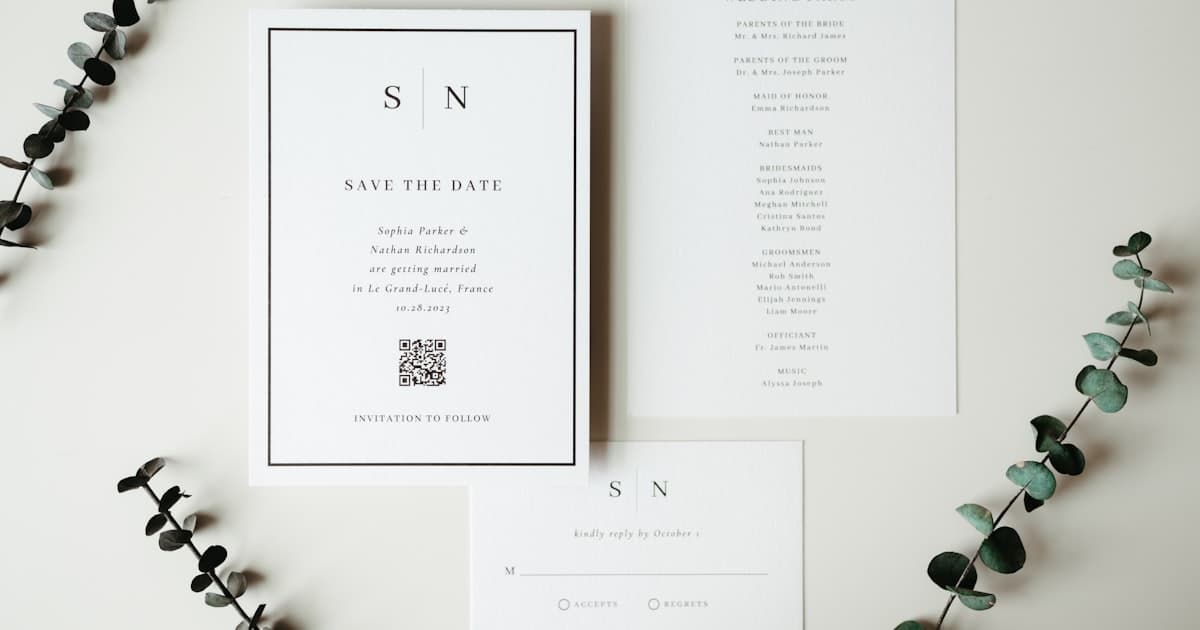
Paperless Post is one of the most recognizable names in digital invitations. But the moment you try to send a wedding invite to 200+ guests, the coin system starts adding up fast — and you begin searching for Paperless Post alternatives that do not charge per envelope.
You are not alone. Thousands of couples hit the same wall every wedding season: beautiful designs locked behind a virtual currency that makes final costs hard to predict. The good news is that 2026 has more options than ever — from free tools to premium cinematic experiences — and most of them skip the coin model entirely.
This guide honestly compares seven platforms so you can pick the one that fits your guest count, budget, and the experience you want your guests to have. If you are new to digital invitations in general, start with our complete guide to digital wedding invitations.
Why couples look for Paperless Post alternatives
Paperless Post pioneered digital invitations with elegant card designs and an envelope animation that felt premium. It is still a strong platform, but a few friction points push couples to explore alternatives:
- Coin pricing is confusing. You buy coins in packs, spend them per card and per add-on (liner, stamp, custom envelope). The total cost depends on your design choices and guest count, making it hard to budget upfront.
- Premium designs cost more per guest. Free cards exist, but the wedding-worthy ones often require 1–3 coins per send. At 250 guests, that is 250–750 coins — roughly $75–$225 depending on the pack you buy.
- Limited interactivity. Paperless Post cards are beautifully designed static screens. They do not natively include a multi-event timeline, venue maps, countdown timers, or scroll-based storytelling.
- No wedding website built in. If you need RSVP tracking, travel info, and registry links, you end up juggling Paperless Post plus a separate wedding website.
None of this makes Paperless Post bad — it makes it a specific tool for a specific job. If your wedding involves multiple events, detailed logistics, or a large guest list, a different approach may serve you better.
Paperless Post alternatives compared: the honest overview
Here is a side-by-side look at the most popular alternatives, including what each does well and where it falls short.
| Platform | Pricing model | Free tier? | RSVP | Multi-event | Mobile experience | Best for |
|---|---|---|---|---|---|---|
| Paperless Post | Coins per send | Yes (limited) | Basic | No | Card view | Premium static cards |
| Greenvelope | Flat annual / per-event | Yes (limited) | Yes | Limited | Card + details page | Eco-conscious couples |
| Joy | Free + paid add-ons | Yes | Yes | Yes | Wedding website | Budget-friendly, all-in-one |
| Zola | Free + registry-linked | Yes | Yes | Yes | Wedding website | Registry-focused couples |
| Mixily | Free | Yes | Basic | No | Simple RSVP page | Casual events, small weddings |
| InviteFree | Free (ad-supported) | Yes | Basic | No | Card view | Zero-budget, simple events |
| Vow Invites | Flat fee, no per-guest cost | No | Yes | Yes | Cinematic scroll | Premium mobile-first weddings |
Greenvelope — the closest Paperless Post alternative
Greenvelope is the most frequently cited Greenvelope alternative to Paperless Post, and for good reason. It offers elegant card designs with an envelope opening animation, flat pricing instead of coins, and strong RSVP tools.
What works: Transparent pricing per event or annual plan. Good template library. Envelope animation feels premium. RSVP tracking is solid.
Where it falls short: Designs are still static cards — no scroll-based storytelling, no embedded maps or countdown. The experience stops at the card. For multi-day weddings with multiple venues, you still need a separate website.
Where it falls short: Designs are still static cards — no scroll-based storytelling, no embedded maps or countdown. The experience stops at the card. For multi-day weddings with multiple venues, you still need a separate website.
Greenvelope vs Paperless Post
Couples searching Greenvelope vs Paperless Post usually want the same elegant card aesthetic without coin math.
| Paperless Post | Greenvelope | |
|---|---|---|
| Pricing | Coins per send — scales with guest count | Flat per-event or annual plan |
| Design feel | Premium stationery, envelope animation | Similar card + envelope opening |
| RSVP | Basic | Stronger built-in RSVP |
| Multi-event | No | Limited |
| Best for | Small lists, single-event, design-first | Couples who want Paperless Post vibes with predictable cost |
Verdict: Choose Greenvelope if transparent pricing matters and you still want a classic digital card. Choose Paperless Post if your guest count is small enough that coins stay affordable and you love a specific designer template.
WithJoy vs Paperless Post
WithJoy (often called Joy) is the other common Paperless Post vs WithJoy comparison. WithJoy is a free wedding website first; invitations are a feature inside the site.
| Paperless Post | WithJoy (Joy) | |
|---|---|---|
| Pricing | Coins per send | Free tier + paid add-ons |
| Core product | Standalone digital card | Wedding website + invite link |
| RSVP & guest list | Basic | Built in, strong |
| Design | Premium static cards | Functional templates |
| Best for | Beautiful one-off card sends | All-in-one planning on a budget |
Verdict: WithJoy wins on price and logistics (website, RSVP, guest list in one place). Paperless Post wins on card design polish. Neither delivers a cinematic scroll invite — for that, see Vow Invites or our best online wedding invitations roundup.
Joy — free wedding website with invites
Joy started as a wedding website builder and added digital invitations. The free tier is generous — you get a full wedding website with RSVP, guest list management, and basic invite designs at no cost.
What works: Free is genuinely free. Wedding website covers logistics (travel, accommodations, FAQ). RSVP tracking is built in. Works well for couples who want everything in one place without paying.
Where it falls short: Invite designs are functional, not cinematic. The aesthetic leans toward templates rather than premium. The "invitation" is really a link to your website — which is practical but does not feel like an event.
Zola — registry-first, invites included
Zola's strength is its wedding registry and planning suite. Digital invitations are part of the package, and they integrate directly with your Zola registry and guest list.
What works: Seamless registry integration. Free website and invitations. Good RSVP tools. One login for registry, website, and invites.
Where it falls short: The invitation experience is secondary to the registry. Designs are clean but not emotionally immersive. If you are not using Zola's registry, the platform loses its main advantage.
Mixily — simple and free
Mixily is a lightweight, no-frills event page builder. You create an event, add details, and share the link. It is free and requires no account for guests.
What works: Dead simple. Free forever. No account required for guests. Quick setup for casual events.
Where it falls short: Minimal design options. No wedding-specific features. No multi-event support. The page looks like a form, not an invitation. Best for casual gatherings rather than weddings.
InviteFree — zero cost, ad-supported
InviteFree does exactly what the name suggests. You pick a template, customize it, and send — no charge. The trade-off is ads and limited design quality.
What works: Completely free. Basic RSVP. No coins, no subscriptions.
Where it falls short: Ad-supported means your wedding invite may display ads. Template quality is noticeably lower. Limited customization. No multi-event support or maps.

What makes a great digital wedding invite without coins
The coin model is not the only thing worth escaping. When you evaluate any digital wedding invite without coins, look for these features:
- Flat or one-time pricing — know your total cost before you start, regardless of guest count
- Multi-event timeline — rehearsal, ceremony, reception in one link, not three separate sends
- Mobile-first design — over 70% of wedding invites are opened on phones via messaging apps
- Rich link preview — when shared on WhatsApp, iMessage, or email, the link should show a beautiful card preview, not a raw URL
- Built-in RSVP — guests confirm from the invite itself, no redirect to a separate form
- Venue maps — tap-to-navigate Google Maps per event
- Update after sending — venue change? Time shift? Update once, every guest sees it
Most free tools cover one or two of these. Premium platforms cover all of them.
Cost comparison: Paperless Post vs alternatives
Here is what you can expect to pay for a 200-guest wedding across these platforms.
| Platform | 200-guest cost estimate | What is included |
|---|---|---|
| Paperless Post | $60–$200+ | Premium card + envelope, basic RSVP |
| Greenvelope | $49–$149 (event plan) | Card + envelope, RSVP, flat pricing |
| Joy | Free–$40 | Website + basic invite, RSVP, guest list |
| Zola | Free–$30 | Website + invite, RSVP, registry integration |
| Mixily | Free | Event page, basic RSVP |
| InviteFree | Free (with ads) | Template card, basic RSVP |
| Vow Invites | Flat fee (no per-guest cost) | Cinematic scroll invite, RSVP, timeline, maps, music |
The real cost difference is not just price — it is what your guests experience when they tap that link. A free RSVP page and a cinematic scroll invitation both "work," but they leave very different impressions.
When to choose which platform
Choose Paperless Post if you want a single beautiful card for a small event and the coin math works for your guest count.
Choose Greenvelope if you want Paperless Post's aesthetic but with transparent flat pricing and better RSVP tools.
Choose Joy or Zola if you need a full wedding website with invitations, RSVP, and registry in one free package and design is secondary to function.
Choose Mixily or InviteFree if you are on a zero budget, the event is casual, and you do not need multi-event support.
Choose Vow Invites if you want your invitation to feel like an experience — cinematic scroll, mobile-first, with timeline, RSVP, maps, and music in one shareable link — at a flat fee with no per-guest pricing.
Wondering whether you need a wedding website, a digital invitation, or both? Our wedding website vs digital invitation comparison breaks that decision down.
Planning an Indian wedding? Multi-day events with mehendi, haldi, sangeet, and reception have unique needs. See our India-specific digital invitation guide for WhatsApp sharing, guest-group visibility, and venue maps across multiple functions.
Frequently asked questions
Is Paperless Post free for weddings?
Paperless Post offers a small selection of free designs, but most wedding-worthy templates require coins. Coins are purchased in packs and spent per card per guest, so the total cost scales with your guest list size and design choice. For a 200+ guest wedding with a premium design, expect to spend $60–$200+.
What is the best free alternative to Paperless Post for weddings?
Joy and Zola both offer genuinely free wedding invitations bundled with a wedding website, RSVP tracking, and guest list management. Joy is especially generous on its free tier. If you only need a simple event page, Mixily is free with no account required for guests.
Can I send digital wedding invitations without paying per guest?
Yes. Greenvelope and Vow Invites charge a flat fee per event, not per guest. Joy and Zola have free website invites. Paperless Post's coin model is the exception, not the norm.
What is the best Greenvelope alternative with more features?
Greenvelope excels at elegant flat-rate cards, but it does not include multi-event timelines, venue maps, or scroll-based design. Platforms like Vow Invites offer a cinematic web experience with all logistics built into a single shareable link.
Greenvelope vs Paperless Post — which is cheaper for a large wedding?
For 200+ guests, Greenvelope's flat event pricing is usually more predictable than Paperless Post coins — often $49–$149 vs $60–$200+ depending on design tier. Run both calculators with your exact guest count before deciding.
WithJoy vs Paperless Post — which should I use?
Use WithJoy (Joy) if you want a free wedding website with RSVP and guest list and design is secondary. Use Paperless Post if you prioritize premium card aesthetics for a smaller guest list. For a single cinematic invite link with timeline and maps, compare both against Vow Invites.
Do wedding guests need to download an app to view digital invitations?
No — the best digital wedding invitations open directly in a mobile browser from any shared link. If a platform requires your guests to install an app or create an account to view your invite, consider a different tool. Every platform in this comparison works via browser link.
Should I use a digital invitation or a wedding website?
Many couples in 2026 use a single link that serves as both. A cinematic digital invitation handles the emotional first impression (names, dates, "you are invited"), while built-in sections cover logistics (RSVP, maps, timeline, travel). You do not always need two separate tools. Read more in our wedding website vs digital invitation guide.
Related guides
- Digital Wedding Invitations: Complete 2026 Guide
- Wedding Website vs Digital Invitation
- Wedding invitation cost: digital vs print
- Eco-friendly digital wedding invitations — paperless trends and hybrid sustainability
- Digital Wedding Invitations India Guide
Create your invite now — no coins, no per-guest fees.