

Your save-the-dates went out six weeks ago. Invitations are live. And somehow you are still managing RSVPs the same way couples did in 2010 — a shared spreadsheet, a group chat full of emoji replies, and a growing list of people you need to call before the caterer's deadline.
Wedding RSVP management is not the same as RSVP tracking. Tracking tells you who replied. Management is the full system: how you collect responses, organize them, follow up with non-responders, export data to vendors, and keep your headcount accurate through every change. Get the workflow right once, and the last month before your wedding stops feeling like a logistics crisis.
This guide walks through a practical RSVP management workflow for 2026 — from setup to final export — plus a tool comparison and the dashboard features that actually matter. If you want a deep dive on form fields and reminder timing, pair this with our wedding RSVP tracking guide. For guest list tiers and plus-ones, see wedding guest list management.
What wedding RSVP management includes (beyond tracking)
Most couples conflate two jobs:
| Task | What it covers | Typical tool |
|---|---|---|
| RSVP tracking | Who responded, yes/no counts, pending list | Form + dashboard |
| RSVP management | Entire lifecycle — invite send, follow-ups, exports, vendor handoff, last-minute changes | Workflow + platform |
Tracking is a snapshot. Management is the process that keeps the snapshot accurate for 8–12 weeks.
A complete wedding RSVP management system handles:
- Structured collection — guests enter their own data (name, headcount, meal choice, events attending) instead of you transcribing texts
- Status visibility — confirmed, declined, pending, and maybe — updated in real time
- Reminder cadence — automated or templated nudges so you are not sending 80 individual messages
- Multi-event support — rehearsal, ceremony, reception, or multi-event timelines with per-event headcounts
- Vendor exports — meal breakdowns and dietary flags in a format your caterer can use
- Manual overrides — for guests who RSVP by phone; you enter their response without breaking the count
If your current setup cannot do all six, you have a tracking workaround — not a management system.
The 6-step wedding RSVP management workflow
Here is a workflow that works for 50–300 guests. Adjust timing to your wedding date, but keep the sequence.
Step 1: Build your guest list before the invite goes live
Start with names, contact method (email or phone), tier (A/B/C if you are wave-inviting), and plus-one allowance. You do not need every detail upfront — but you need a master list that matches who will receive the invite link.
Our guest list management guide covers tiered invites and plus-one rules in depth. The key point for RSVP management: your guest list and your RSVP form must share the same source of truth. Two spreadsheets that you merge later is where errors start.
Step 2: Configure your RSVP form (5–7 fields max)
Match form fields to what vendors need:
| Field | Required? | Why |
|---|---|---|
| Full name | Yes | Match to guest list, place cards |
| Attending (Yes / No) | Yes | Core response |
| Number of guests | Yes | Household headcount, plus-ones |
| Events attending | Yes (multi-event) | Per-event counts for venue and catering |
| Meal preference | Yes (if plated) | Caterer breakdown |
| Dietary restrictions | Recommended | Allergies, gluten-free, halal, kosher |
| Message to couple | Optional | Guestbook-style note |
Do not add song requests, travel plans, and hotel blocks to the RSVP form unless you truly need them at this stage. Extra fields drop completion rates.
Step 3: Send the invite with a direct RSVP path
Guests should reach the form in one tap — open the digital wedding invitation, scroll, RSVP at the bottom. No account creation. No hunting for a separate page on a wedding website.
Share the same link via text, email, or messaging apps. The RSVP lives on the invite, not in a reply thread.
Step 4: Monitor your dashboard weekly
For the first two weeks after send, check your dashboard once a week — not daily. You are looking for:
- Response rate — what percentage of invited guests have replied
- Headcount by event — ceremony vs reception numbers diverge more than couples expect
- Meal mix — early trend toward vegetarian? Flag it for the caterer conversation
- Pending list — names with no response after 10–14 days
Weekly reviews prevent panic at the deadline. Daily checking creates anxiety without changing outcomes.
Step 5: Run a two-touch reminder sequence
| Timing | Action |
|---|---|
| Week 3 after invite (4–5 weeks before wedding) | Gentle reminder to all pending guests: "We would love to know if you can make it — tap the link to RSVP." |
| Week 5 after invite (2–3 weeks before wedding) | Final nudge with a firm deadline: "We need your RSVP by [date] for catering." |
Two reminders are enough. A third feels like nagging. Personalize with the guest's name and link directly to the form — not the full invite scroll.
Step 6: Export and lock numbers for vendors
Seven to fourteen days before the wedding, export your final headcount, meal breakdown, and dietary flags. Send structured data to your caterer and venue — not a screenshot of a spreadsheet.
After export, treat the dashboard as read-only except for genuine last-minute changes (illness, travel cancellation). Every manual edit should update headcount and meals in one place.
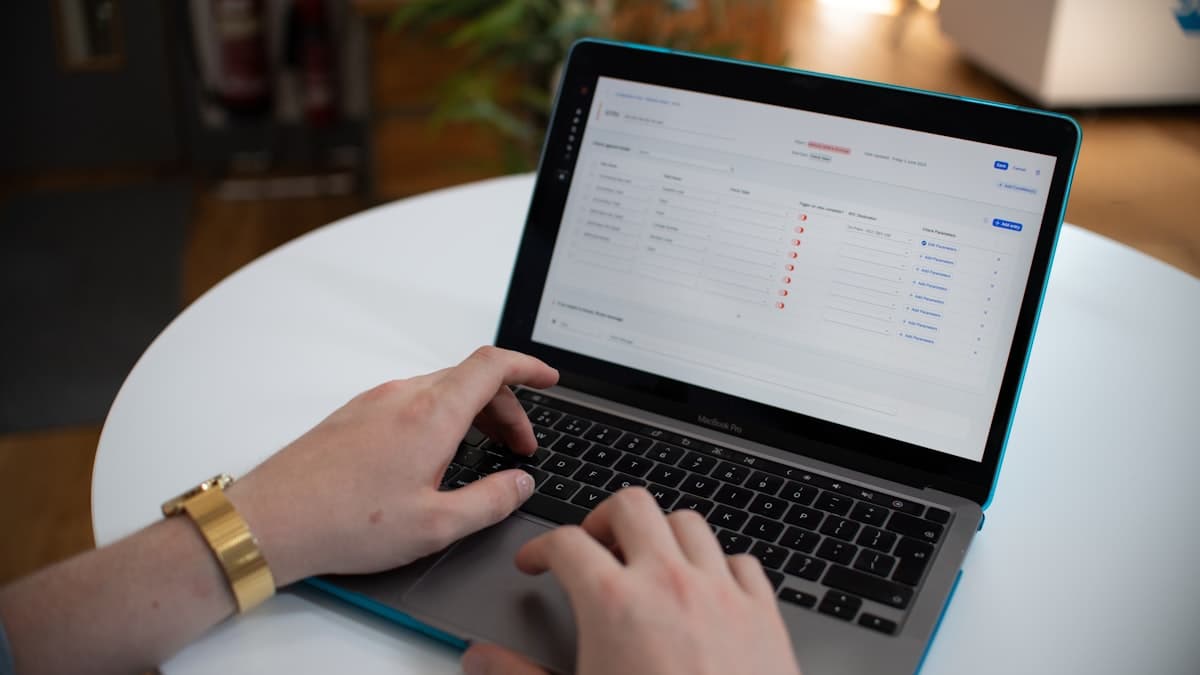
Wedding RSVP tools compared: which approach fits your wedding?
Not every platform solves management the same way. Here is how the common options stack up for couples who need accurate headcounts without becoming full-time data entry clerks.
| Tool / approach | Best for | RSVP collection | Real-time dashboard | Multi-event RSVPs | Guest experience |
|---|---|---|---|---|---|
| Spreadsheet (Excel / Google Sheets) | Tiny weddings (under 40 guests), single event | Manual — you type every reply | DIY formulas | Manual columns per event | Guests text you; you transcribe |
| Zola / Joy (wedding website) | Couples who want a full planning hub (registry, website, RSVP) | Separate RSVP page on website | Yes — website dashboard | Yes — event checkboxes | Visit website → find RSVP page |
| Paper RSVP cards | Formal tradition, older guest demographics | Postal mail or hand delivery | Manual entry required | Separate card per event | Mail back or call |
| Invite-first platform (e.g. Vow Invites) | Couples sharing a cinematic invite link on messaging apps | Built into the invitation scroll | Yes — tied to invite | Yes — per-event on one link | Open link → scroll → RSVP |
| Google Forms / Typeform | Budget DIY, no design needs | Standalone form link | Export-only; no live dashboard | Possible with logic branches | Generic form — no invite context |
How to choose:
- Under 40 guests, one event, low tech stress? A spreadsheet plus a simple Google Form can work — if you accept manual upkeep.
- Want a wedding website with registry and planning tools? Zola or Joy make sense — RSVP is one feature among many.
- Sending a shareable invite link and need RSVPs without a separate website? An invite-first platform keeps guest friction low and management centralized.
Vow Invites follows the invite-first model: one cinematic link, RSVP at the bottom, dashboard on your side. No wedding website to build first.
Dashboard features that matter for RSVP management
When evaluating any RSVP tool, ignore feature lists with 30 bullet points. Focus on what you will use every week for two months.
Real-time headcount by status
Your dashboard should show confirmed, declined, pending, and maybe at a glance — plus total guest count (not just number of responses). A household of four counts as four plates, not one row.
Per-event breakdown
For weddings with a rehearsal, ceremony, and reception, you need three numbers — not one aggregate "attending." Your venue coordinator and caterer will ask separately. If the dashboard only shows a single yes/no, you will rebuild the data manually.
Meal and dietary summaries
Look for exportable summaries: "62 chicken, 48 fish, 34 vegetarian, 6 vegan" plus a flagged list of allergies. Free-text notes columns are not management — they are cleanup work before vendor handoff.
Pending guest list with contact info
You need a sortable list of who has not responded, with email or phone attached, so reminders take minutes — not an hour cross-referencing your address book.
Manual entry for offline RSVPs
Grandma called. Your college roommate replied at the engagement party. A good dashboard lets you add or edit a response without breaking totals or duplicating entries.
One-click export
CSV or PDF export with the fields your caterer and venue actually request. If export requires copy-pasting into a new spreadsheet, the dashboard is half a solution.
Connecting RSVP management to catering, seating, and day-of logistics
RSVP management does not end when responses stop arriving. The data feeds three downstream workflows:
Catering. Final headcount sets portion quantities and per-plate cost. Meal preference breakdown tells the kitchen what to prepare. Dietary restrictions prevent allergic reactions. Most caterers need numbers 7–14 days out — your export should be ready on that timeline, not scrambled the night before.
Seating. Confirmed guests plus named plus-ones become your seating chart starting point. When a guest switches from yes to no, the dashboard update should propagate — not require a full chart redo in a separate tool.
Day-of check-in. Some couples use their RSVP dashboard as a reference for ushers or planners: who confirmed, who declined, who never replied (and whether to hold a seat). Structured data beats memory and group chat archaeology.
For the full picture on form design, reminder scripts, and handling non-tech-savvy guests, see our RSVP tracking guide.
Related guides
More from the Vow Invites blog:
- Wedding RSVP tracking — form fields, reminders, and group chat pitfalls
- Wedding guest list management — A/B/C tiers, plus-ones, and spreadsheet alternatives
- Digital wedding invitations — complete guide — formats, costs, and platform checklist
- Multi-event wedding invitation in one link — timeline, guest groups, and per-event RSVPs
Create your invite with built-in RSVP management when you are ready to send.
Frequently asked questions
What is the difference between wedding RSVP tracking and RSVP management?
Tracking is knowing who replied and what they said. Management is the full workflow — guest list setup, form configuration, invite send, reminder cadence, dashboard monitoring, vendor exports, and handling last-minute changes. Tracking is one step inside management.
What is the best tool for wedding RSVP management in 2026?
It depends on your setup. Spreadsheets work for small, single-event weddings. Wedding websites like Zola and Joy suit couples who want a full planning hub. Invite-first platforms like Vow Invites work best when you are sharing a cinematic invite link and want RSVPs built into that experience — no separate website required.
How far in advance should I set up my RSVP management workflow?
Configure your guest list and RSVP form before the invite goes live — ideally 10–12 weeks before the wedding. Send invites 6–8 weeks out, run reminders at weeks 3 and 5, and export final numbers 7–14 days before the event. Starting late compresses reminder windows and stresses vendors.
Can I manage RSVPs for multiple events in one system?
Yes — if your platform supports per-event attendance on a single RSVP form. Rehearsal, ceremony, and reception should each have their own headcount in the dashboard. A single yes/no field forces you to follow up manually for every multi-event wedding.
How do I handle guests who refuse to use a digital RSVP form?
Accept their response by phone, text, or in person — then enter it manually in your dashboard. Design the digital form for the least technical guest (no login, large buttons, works in any browser), but always keep a manual entry path. One offline RSVP entered correctly beats one guest missing from the headcount entirely.