
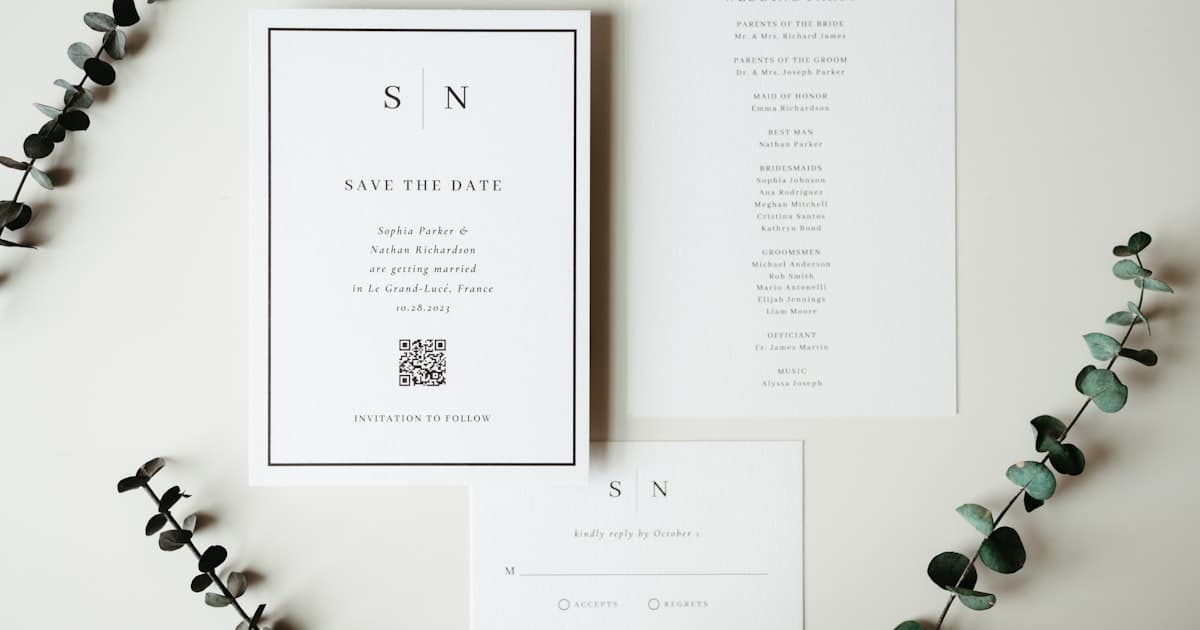
Canva is the go-to design tool for millions of couples creating wedding invitations. The templates are gorgeous, the drag-and-drop editor is easy, and the free tier is generous. So why are so many couples searching for a Canva wedding invitation alternative the moment they try to actually send what they designed?
Because Canva is a design tool — not a wedding invitation platform. It helps you create a beautiful image or PDF, but it stops there. No RSVP. No link preview on WhatsApp. No way to update the venue after you hit "share." You end up with a gorgeous file that is surprisingly hard to deliver.
This guide breaks down exactly where Canva falls short as a wedding invite tool, what the alternatives look like, and why a web-based invite might be the upgrade you did not know you needed. For a broader look at all the platforms, see our comparison of the best digital wedding invitation websites.
The real problems with Canva PDF wedding invitations
Canva is excellent at what it does: graphic design. But wedding invitations have requirements that go beyond a pretty layout. Here is where Canva PDF wedding invite problems surface once you move past the design phase:
No built-in RSVP
Canva exports a file — PNG, JPG, or PDF. There is no RSVP form, no guest tracking, no attendance dashboard. You need a separate Google Form, a spreadsheet, or a third-party tool to collect responses. That means your guests see a beautiful design, then get redirected to a generic form that looks nothing like your invite.
Poor WhatsApp and messaging previews
When you share a Canva PDF or image on WhatsApp, it arrives as a file attachment — not a rich link preview with your names, date, and a thumbnail. Guests see a generic file icon or a compressed image. There is no tap-to-open-a-beautiful-experience moment. Compare that to a web-based invite that shows a branded card preview the instant you paste the link.
No updates after sending
Changed your venue? Moved the ceremony time by an hour? With a Canva PDF, you redesign, re-export, and re-send to every single guest. With a web-based invite, you update once and every guest sees the change instantly — same link, no confusion.
No multi-event support
Most weddings involve more than one event — rehearsal, ceremony, reception (or mehendi, sangeet, wedding for Indian celebrations). Canva gives you one static page. You either cram everything onto one design or create multiple files and hope guests keep track.
No venue maps, countdown, or music
A PDF cannot embed a tappable Google Maps pin, a live countdown timer, or background music. These are not gimmicks — they are features guests actually use to navigate to the right venue at the right time.
Canva vs web-based invite vs Paperless Post
The real question is not "which design tool?" — it is "what experience do your guests get?" Here is how the three main approaches compare for couples evaluating an online invite maker vs Canva.
| Feature | Canva (PDF/image) | Paperless Post | Web invite (Vow Invites) |
|---|---|---|---|
| Design quality | ✅ Excellent templates | ✅ Designer collaborations | ✅ Cinematic scroll themes |
| Built-in RSVP | ❌ None | ✅ Basic | ✅ Full with dashboard |
| WhatsApp link preview | ❌ File attachment | ✅ Rich preview | ✅ Rich preview |
| Multi-event timeline | ❌ One page | ❌ One card | ✅ Unlimited events |
| Update after sending | ❌ Re-export, re-send | ❌ Limited | ✅ Edit anytime, same link |
| Venue maps | ❌ Static image only | ❌ No | ✅ Tap-to-navigate per event |
| Background music | ❌ No | ❌ No | ✅ Yes |
| Guest tracking | ❌ No | ✅ Open tracking | ✅ RSVP + guest dashboard |
| Pricing model | Free / $13/mo Pro | Coins per guest | One-time flat fee |
| Mobile-first design | ❌ Designed for print | Partial | ✅ Built for phone screens |
The pattern is clear: Canva wins on design freedom but loses on everything that happens after you finish designing. Paperless Post adds RSVP and tracking but charges per guest and lacks multi-event support. A web-based invite combines design, delivery, and logistics in one shareable link.
What a web-based wedding invite actually looks like
If you have only seen Canva templates and Paperless Post cards, a scroll-based web invite might sound abstract. Here is what it means in practice:
- One shareable link — paste it into WhatsApp, iMessage, email, or SMS. It shows a rich card preview with your names and date before anyone taps.
- Full-screen scroll experience — guests swipe through an envelope animation, your story, event timeline, venue maps, dress code, RSVP form, and photo gallery on their phone.
- Live content — change a time, add an event, update a dress code. The link stays the same; every guest sees the update.
- Built-in RSVP — guests confirm directly inside the invite. You see responses in a dashboard with counts, dietary preferences, and plus-ones.
- No app required — opens in any mobile browser. No downloads, no account creation for guests.
For couples who want that cinematic feel with animated scroll sections and envelope reveals, web invites are the format that makes it possible — not a static export.
When Canva still makes sense
Canva is not the wrong choice for every couple. It works well in specific scenarios:
- DIY save-the-dates — a single image shared early, before logistics matter
- Print-at-home cards — if you want to design and print physical invites yourself
- Social media announcements — Instagram posts, stories, or Facebook event covers
- Complementary design work — menus, seating charts, thank-you cards, signage
The gap appears when Canva becomes your only invitation tool — when you need RSVP tracking, live updates, multi-event timelines, and a mobile-first guest experience. That is where a dedicated invite platform takes over.
How to switch from Canva to a web invite
If you have already started designing in Canva, you do not have to throw that work away. Here is a practical migration path:
- Keep your Canva design as a reference — use it to inform your colour palette, font choices, and overall aesthetic when selecting a web invite theme.
- Choose a web invite platform — look for one with themes that match your style, built-in RSVP, and multi-event support. Compare the top platforms here.
- Enter your event details once — dates, venues, dress codes, timeline. The platform handles layout and mobile formatting.
- Share one link — paste it into WhatsApp groups, broadcast lists, email, or SMS. Guests get a rich preview and a scrollable experience.
- Track RSVPs from a dashboard — no more spreadsheets, no more chasing replies in group chats.
The whole process takes 15–30 minutes if you already know your event details. Faster than re-exporting a Canva PDF every time something changes.
Cost comparison: Canva vs alternatives
| Platform | Cost for 200 guests | What you get | What you do not get |
|---|---|---|---|
| Canva Free | $0 | Templates, export as PNG/PDF | RSVP, link preview, updates, maps |
| Canva Pro | $13/month | More templates, no watermarks | Still no RSVP, link preview, or updates |
| Paperless Post | $60–$200+ | Designer cards, RSVP, tracking | No multi-event, per-guest cost scales |
| Vow Invites | $9 one-time | Scroll invite, RSVP, maps, timeline, music | No print integration (digital-only) |
Canva's free tier is genuinely free, but it delivers a file, not an experience. The moment you need RSVP or messaging previews, you are either paying for a second tool or switching platforms entirely.
Frequently asked questions
Can I use Canva to make a wedding invitation?
Yes — Canva has thousands of wedding invitation templates and a powerful design editor. The limitation is not design quality; it is delivery. Canva exports a static file (image or PDF) with no RSVP, no link preview on WhatsApp, and no way to update after sharing. For a complete invitation experience, you need a platform that handles both design and delivery.
Why does my Canva invite look bad on WhatsApp?
WhatsApp compresses images and displays PDFs as generic file attachments. Your carefully designed Canva invite loses resolution, cropping, and visual impact. A web-based invite, by contrast, generates a rich link preview — a branded thumbnail with your names and date — before guests even tap to open it.
Is Canva or Paperless Post better for wedding invitations?
They solve different problems. Canva gives you full design control but no wedding features (RSVP, tracking, guest management). Paperless Post gives you elegant digital cards with RSVP but charges per guest and lacks multi-event support. If you want design and functionality without per-guest pricing, a cinematic web invite platform like Vow Invites covers both.
What is the best free alternative to Canva for wedding invitations?
For free options, Joy and Zola offer basic digital invitations bundled with wedding websites and RSVP tracking. They trade design polish for zero cost. For couples who want a premium cinematic experience — scroll animations, timeline, maps, RSVP — without per-guest fees, Vow Invites offers flat-rate pricing. See our full comparison of digital invitation websites for more options.
Can I track RSVPs with a Canva wedding invitation?
Not directly. Canva does not include RSVP functionality — you need to pair it with a Google Form, a spreadsheet, or a separate RSVP tool. Web-based invitation platforms include RSVP forms inside the invite itself, with a dashboard to track responses, guest counts, dietary preferences, and plus-ones in real time.
Do web-based wedding invitations work on all phones?
Yes. Web invites open in any mobile browser — Safari, Chrome, Samsung Internet — from a shared link. No app download or account creation required. They are designed mobile-first, which means the scroll experience, RSVP form, and venue maps are optimized for phone screens, not adapted from a desktop layout.
Related guides
- Digital Wedding Invitations: Complete 2026 Guide — formats, costs, and features overview
- Best Digital Wedding Invitation Websites (Compared) — full platform roundup
- Animated Cinematic Wedding Invitations — scroll-based design and motion
Create your invite → — one link, RSVP, maps, and a cinematic scroll experience. No PDFs.